
Video in display ads, without the weight
Video gives a banner motion and a story. Here is how to add it without a heavy file, a muted mess or a publisher rejecting the ad.
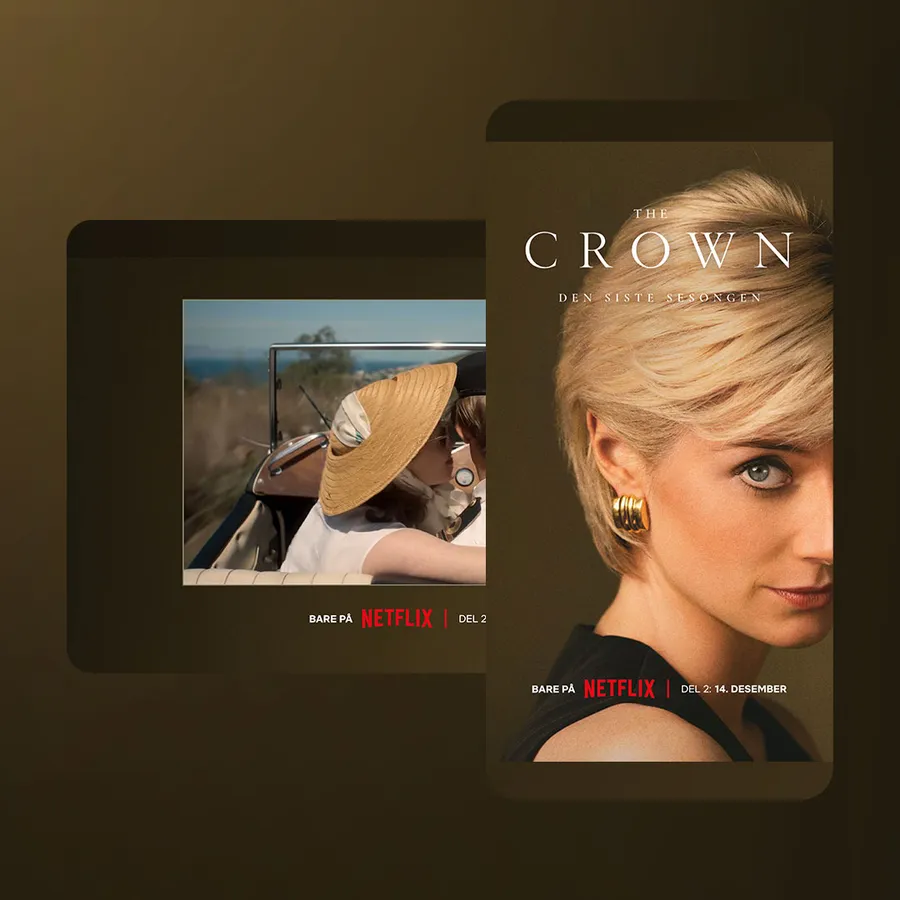 Netflix - The CrownDouble midscroll · live demo ↗
Video works in display ads when it is light, starts muted and still makes sense without sound. The safest way to get there is to stream the video into the ad instead of packing a heavy MP4 file inside it, keep the plays short and finite, and put the message in text layers on top of the footage. The rest of this guide explains why, and shows how real campaigns do it.
We have built and served video banners and high-impact ads for more than 15 years. Most of what goes wrong is not the film. It is the delivery.
Why put video in a display ad
A still banner has to say everything in one frame. Video adds motion and time, so a single placement can carry a small story: a car on the road, a dish being served, a trailer building to a date.
Motion also catches the eye in the scroll. An ad that moves can _attract_ the reader, or _distract_ them and slow down the page they came for.
The problem with video in banners
Video brings four practical problems into a format that was built for pictures.
- File weight. A video file is far heavier than an image. Every impression downloads it, whether the reader watches or not.
- Autoplay and sound. Browsers only let video start on its own when it is muted, and most people read news with the sound off anyway.
- Publisher weight limits. Publishers cap how heavy an ad may be. A heavy creative gets sent back, or slows the page down if it slips through.
- Data and carbon. Every kilobyte sent costs data and energy, multiplied by every impression.
Madington's CEO Niclas Rämje did the arithmetic for one ordinary mobile fullscreen ad in Let's be mindful in a wasteful industry. At 977 KB, 100,000 impressions add up to 97.7 GB of downloaded assets. Optimised to 50 KB, the same campaign downloads 5 GB.
This equals 95% less data transfered and an >89% reduction of carbon emissions. (Niclas Rämje, Let's Be Mindful in a Wasteful Industry)
That example is about images. Video is heavier still, so delivery matters even more.
Plain MP4 vs streamed video
There are two ways to get video into a banner.
A plain MP4 in the banner. The video file is shipped with the ad and loaded like any other asset. It is simple, but the whole file counts against the ad's weight and every impression downloads it.
Streamed video. The video is streamed to the player while it plays, instead of being loaded as one heavy file. In Madington Station this runs on our own streaming technology, Streamedby™, with one of the smallest video players in the world. Streaming ads only use the data that is actually played. A reader who scrolls past after three seconds has not paid for the whole film.
| What matters | Plain MP4 in the banner | Streamed with Streamedby™ in Station |
|---|---|---|
| How the video arrives | Loaded as one file with the ad | Streamed to the player while it plays |
| Data used | The file, on every impression | Only the data that is actually played |
| Start | Waits for the file to load | Instant play and minimal load |
| Publisher size limits | The video counts towards the ad's weight | Built as lightweight creatives within leading publishers' size limits |
| Carbon footprint | Grows with file size and impressions | Reduced, because less data is sent |
| If video cannot play | Up to whoever built the ad | A fallback that also works as an energy-saving mode |
| Buying | Depends on the build and the ad server | Certified for direct and programmatic purchases |
| Reporting | Depends on the ad server | Performance, attention and CO2 for every ad in Station |
Streaming is not a free pass. Rebecka Sjöström put it plainly in Sustainability at Madington:
Streaming video instead of downloading an MP4 is a step in the right direction, but other aspects should also be considered, such as total file size, video length, and how the video is processed. (Rebecka Sjöström, Sustainability at Madington)
So a short, well-compressed clip still beats a long one, streamed or not. The specs reflect that too: a double midscroll built from Station's templates takes video in one of its two scenes, not both, because two videos make the ad too heavy.
More on how it works on the streamed video page.
Creative craft: making video work in an ad
A TV spot cut down to a banner rarely works. The reader is scrolling, the sound is off and the ad shares the screen with an article. These are the rules we build by.
The first frame does the work
Many readers will only ever see the opening second or two. Treat the first frame as a poster: brand, product and a reason to stop must be readable before anything moves. Don't open on a fade from black or a slow establishing shot.
Design for sound off
The streamed demos below all start muted. Sound is something the reader chooses with a clear button, and the ad must make complete sense without it. If the story depends on dialogue, it needs words on screen.
Captions and supers belong in layers
Put the logo, headline and call to action in a separate layer on top of the video, not burned into the footage. The midscroll specs recommend exactly this: a clean video as background and an SVG or PNG overlay for text, logo and CTA. Text stays crisp, and you can make several versions of an ad without producing several videos.
Keep loops short and finite
A clip that loops forever next to an article is the definition of distracting. Most of the streamed demos below are set to play a fixed number of times, from two to nine, then stop. A replay button lets the reader see it again.
Play when seen
Video that starts before anyone can see it wastes data and the opening shot. In the scroll-driven formats below, scenes and text are revealed as the reader scrolls, and in the Avatar ad the trailer starts only when its scene comes into view.
Mix video with interaction and products
Video does not have to fill the whole ad. Some of the strongest builds use it as one tile among products, or let the reader choose which film to watch.
Video ads in practice
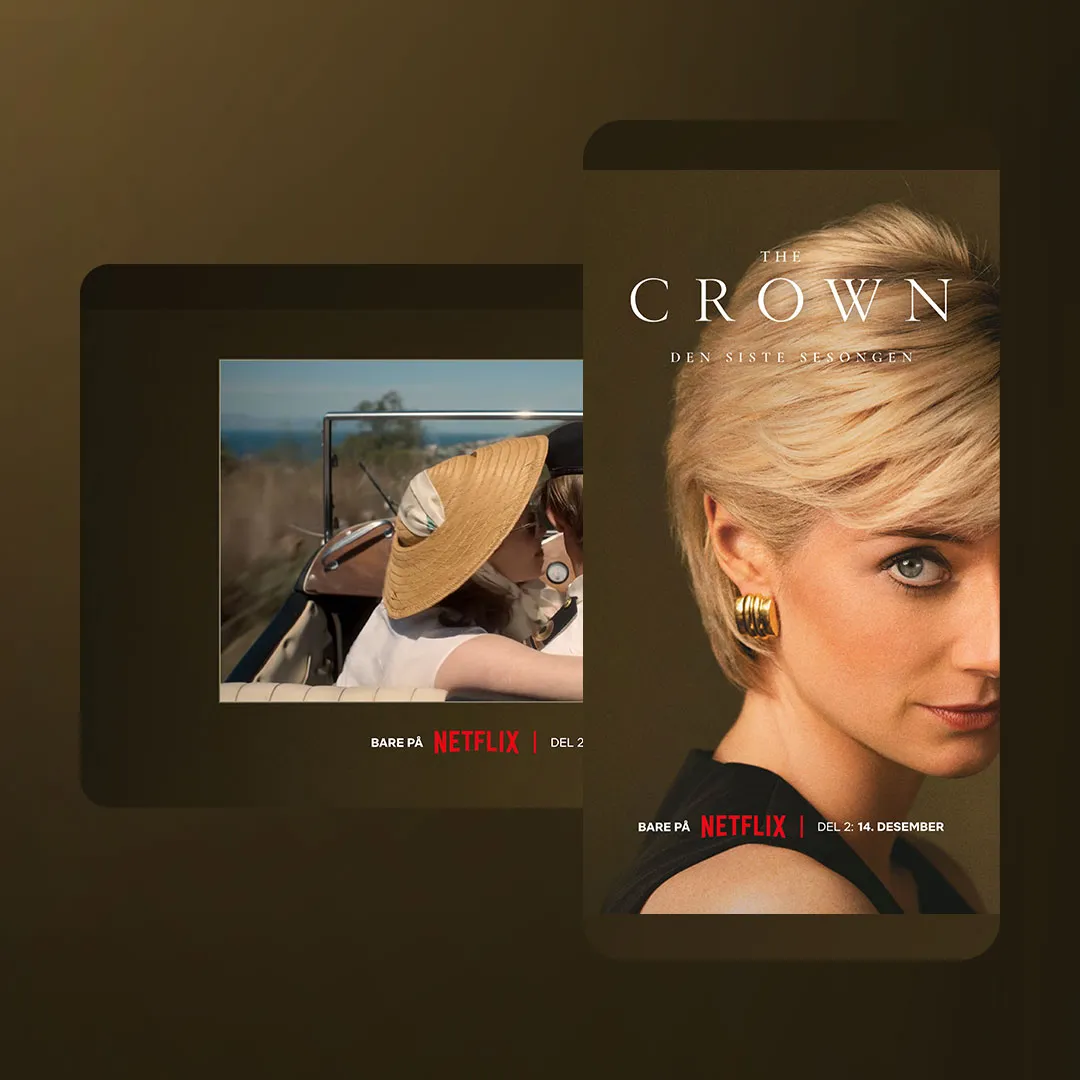
The Crown keeps the background still and puts the moving image in a framed box, so the video reads as a trailer, not wallpaper. The stream is chosen for the screen's orientation. It starts muted, plays twice and then offers replay, while scroll reveals the rest of the ad in stages. See the full build on the Netflix, The Crown demo page.
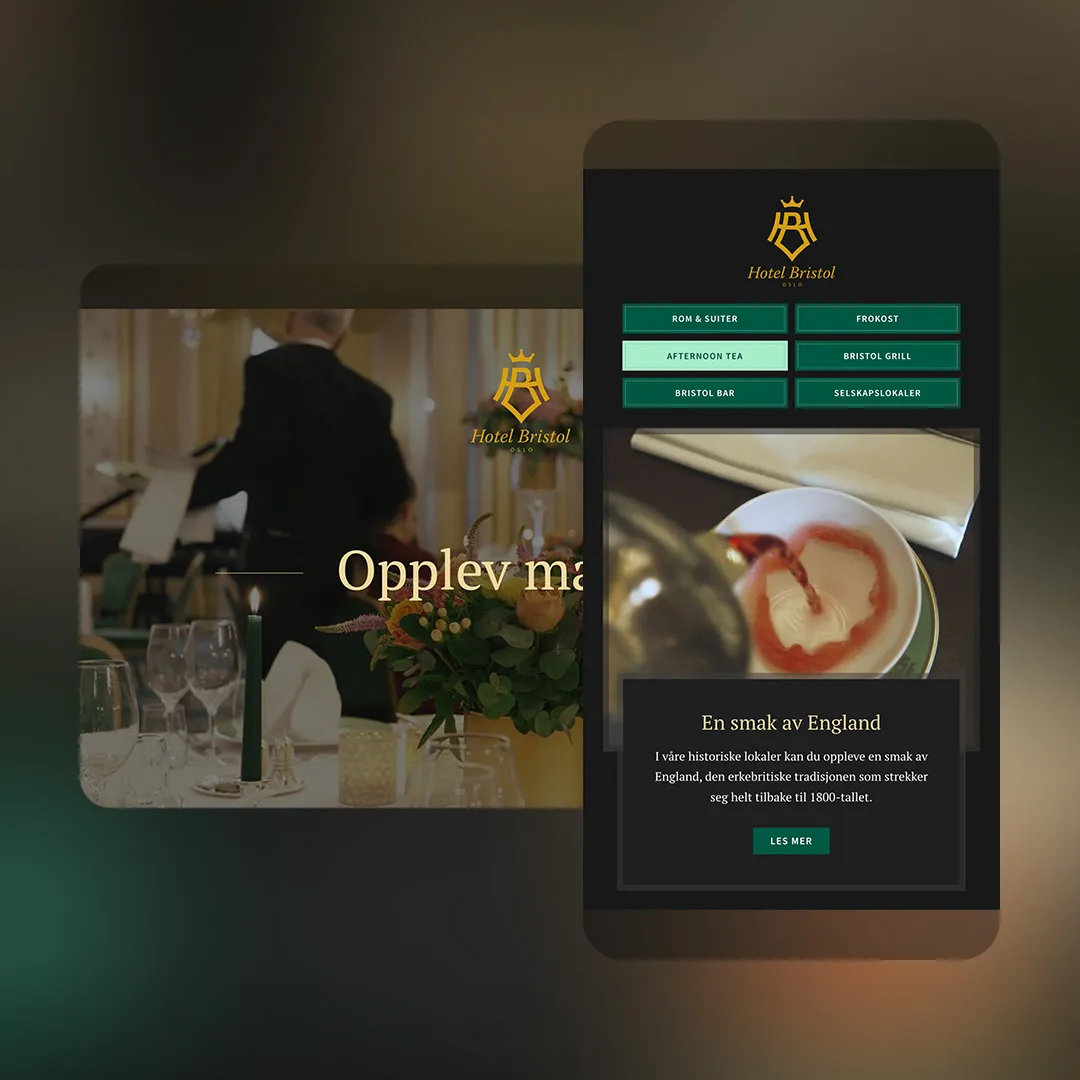
Hotel Bristol shows what streaming makes possible. The first scene is a streamed video background. The second is a menu: rooms, breakfast, afternoon tea, the grill, the bar and event spaces. Each item has its own headline, copy and streamed video, and tapping one switches the film. As six files, that would be a heavy ad. Streamed, only what the reader actually plays is sent.
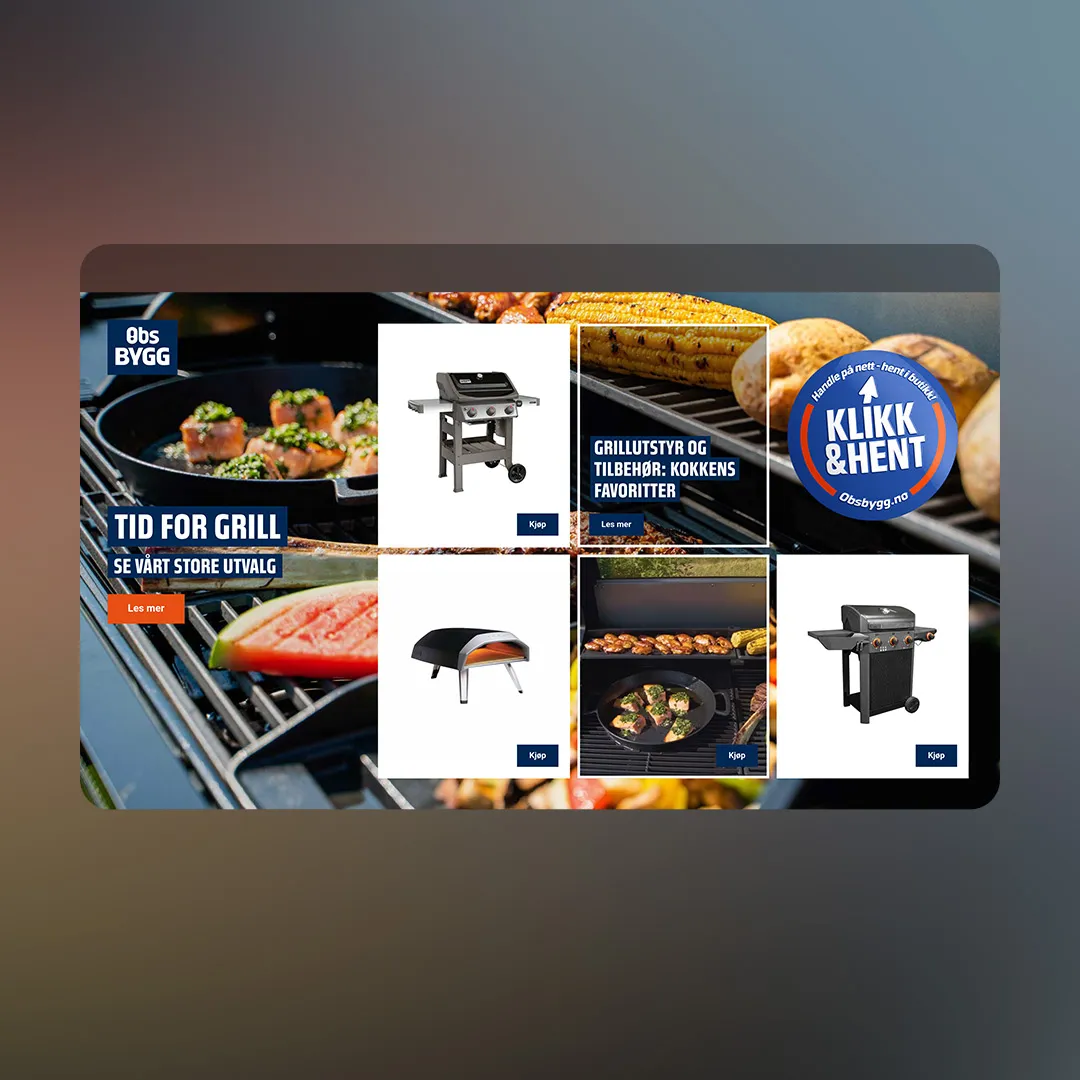
Obs BYGG uses video as one tile in a fullscreen product grid. Grills and a pizza oven sit beside it with names, short specs and a buy button, plus a tile linking to a guide on grilling gear. On mobile the tiles take turns being highlighted every couple of seconds. The video tile is also a product tile, so the motion sells something too.
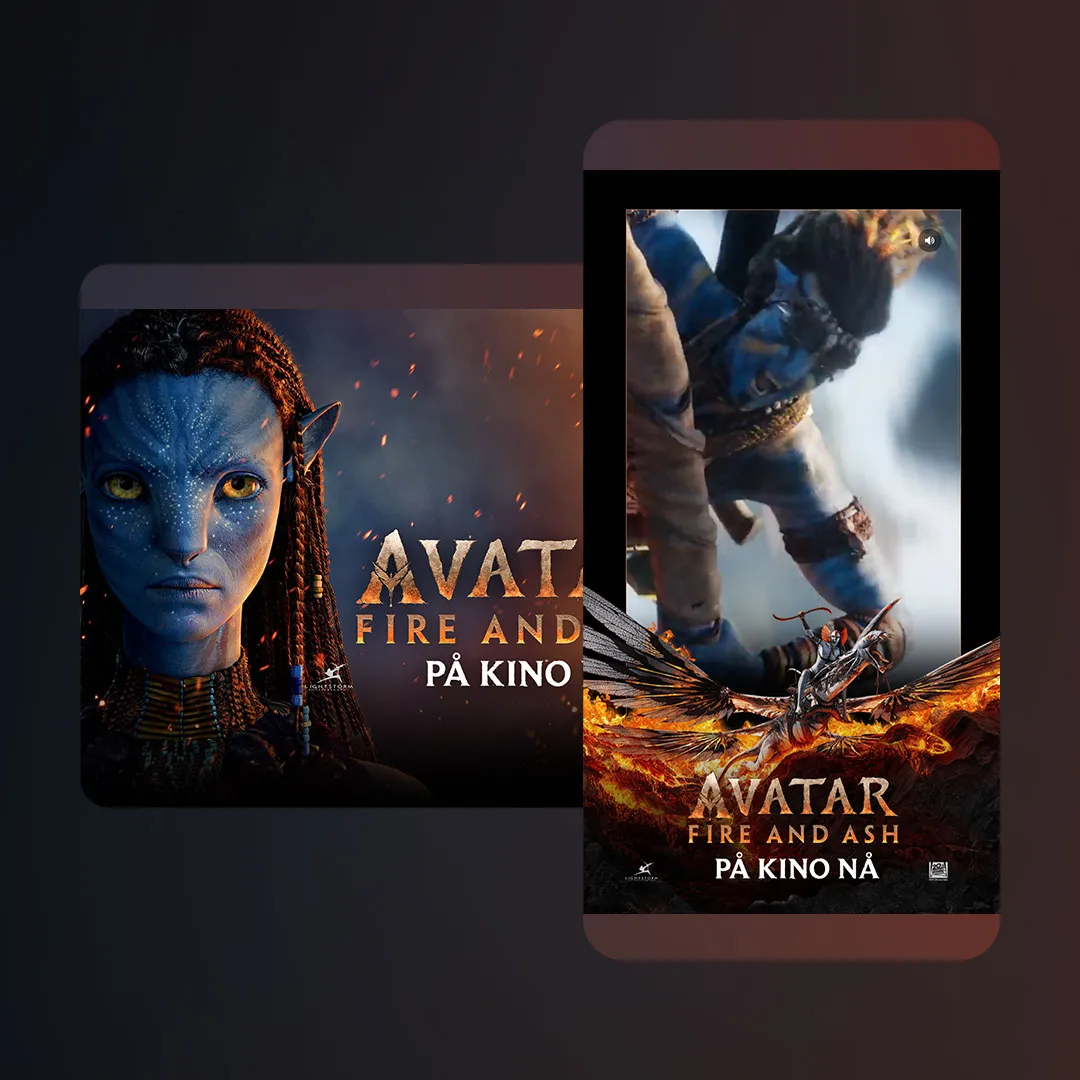
Avatar: Fire and Ash runs across three screens of scroll. Footage plays behind the middle scene, and the trailer in the last scene starts only when the reader reaches it and mutes again if they scroll away. Logo and copy fade in and out in time with the trailer. The copy changes with the date in December, counting down the days to the premiere. This build plays short MP4 clips through Madington's own player rather than Streamedby™, a reminder that the craft rules apply whichever way the video is delivered.
More video work, from cars to Black Week:
 Open live demo ↗
 Open live demo ↗
 Open live demo ↗
 Open live demo ↗
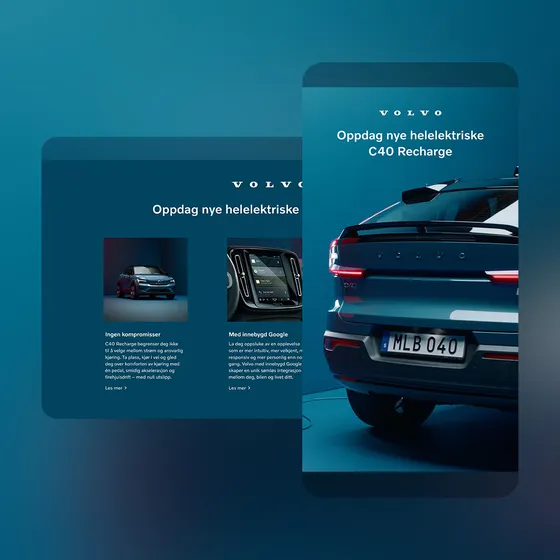
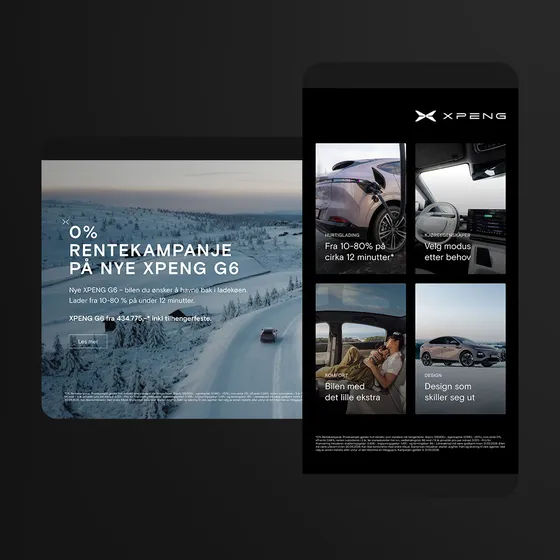
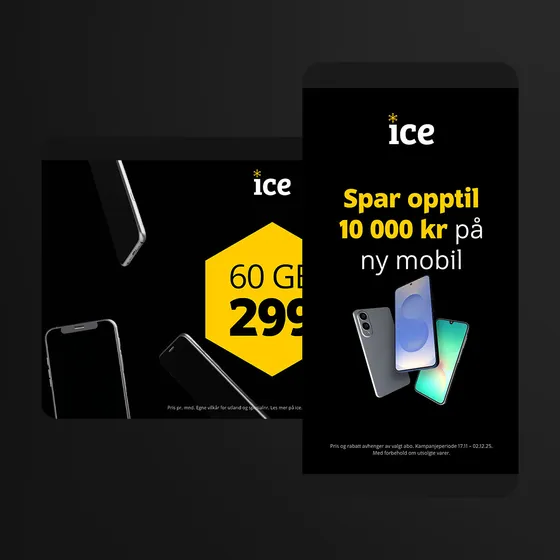
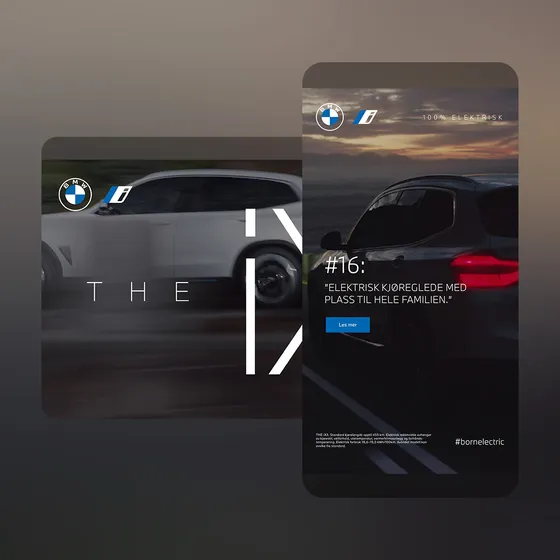
Volvo puts three feature cards over a streamed video background. Xpeng follows its opening film with four feature tiles, each with its own click-through. Ice opens on video and ends with phones and a Black Week offer. BMW rotates one of three short quotes over streamed footage.
Choosing the format for your video
Every Station format takes video: .mp4, .mov or .webm, in the asset sizes listed on each format page. Deliver a 1920×1080 asset for landscape and a 1080×1920 one for portrait, keep text inside the safe areas, and Station builds the ad for every screen.
Ad formatMidscrollSometimes called an interstitial or fullscreen, this format is a full screen ad that appears before, after, or between the content of a website.Specs →For one strong film, a midscroll gives it the full screen between articles. For a story in two acts, a double midscroll pairs a video scene with a still one. For an existing spot in ordinary banner slots, standard display takes any fixed size, with scaling and alignment options to fit the footage. More in our field guide to high-impact ads and designing for the scroll.
Can you put video in a display banner?
Yes. Every format in Madington Station takes video, from standard display to topscroll and midscroll, in .mp4, .mov or .webm. The key is keeping it light, muted by default and readable without sound.
What is a streamed video ad?
A video ad whose video is streamed to the player while it plays, instead of being loaded as one heavy file. Streaming ads only use the data that is actually played.
Is streamed video better than an MP4 in a banner?
It uses less data, plays instantly and has a smaller carbon footprint, because only what is played gets sent. Total file size, video length and how the video is processed still matter.
Do video banners autoplay with sound?
No. Video in ads starts muted, and the reader can turn sound on with a button. Design the ad so it works completely without sound.
Can streamed video ads be bought programmatically?
Yes. Streamedby™ is certified for direct and programmatic ad purchases.
What happens if the video cannot play?
Streamed ads in Station come with a fallback, which also works as an energy-saving mode.