
Dynamic DOOH advertising: screens that change with the weather, the clock and live data
What makes a digital outdoor ad data-driven, which triggers work, how the creative is built as a template, and how to make it read from across the street.
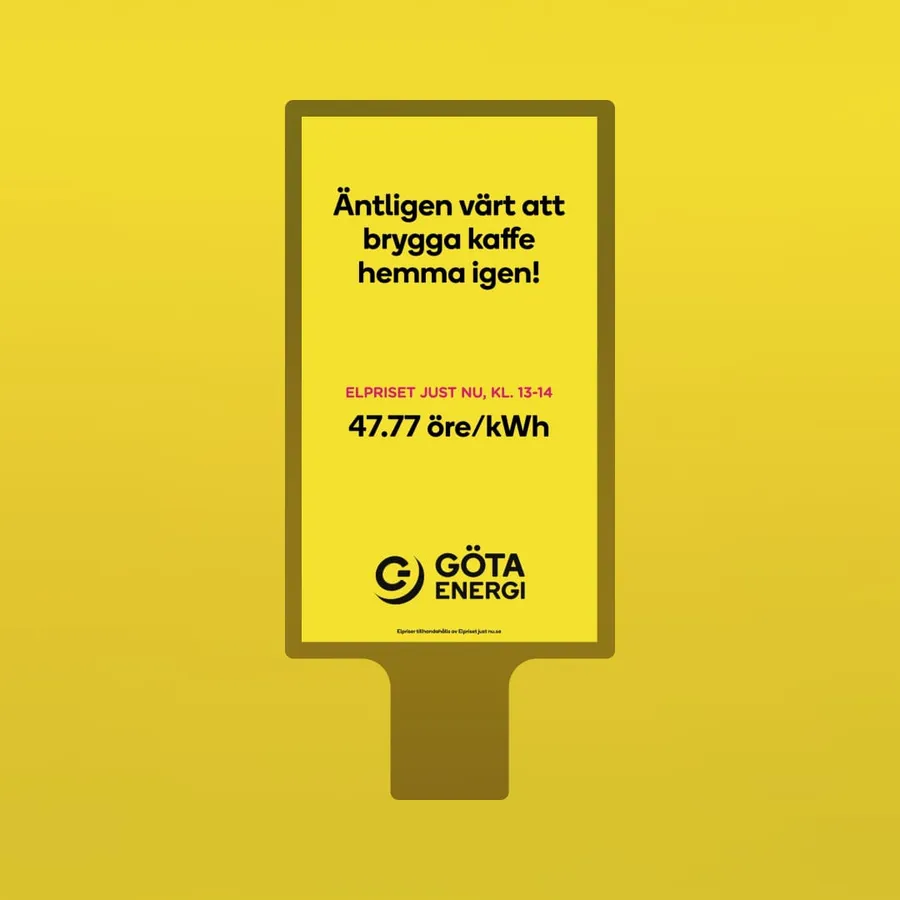 Göta EnergiDOOH · live demo ↗
DOOH is short for digital out-of-home advertising: ads on digital screens in public places, such as bus shelters, station halls, shopping centres and building facades. Dynamic DOOH, also called data-driven DOOH, is digital outdoor creative whose content changes with live data. The screen shows the current electricity price, the pollen level in that city, the hours left until kick-off or a message that fits today's weather, instead of the same picture all campaign long.
We build and serve this kind of creative in Madington Station, and Clear Channel has chosen Madington as the preferred tech partner for its dynamic digital outdoor offering. Below: how it works, which triggers are worth using, how the creative is built, and what to check before it goes live, with real campaigns you can play.
What makes DOOH "data-driven"
A static digital poster is a file that plays in a loop. A data-driven one is a template with gaps in it, and something outside the ad fills those gaps at the moment it plays: a clock, a weather service, a price feed, the screen's own location.
The point is relevance without extra production. The press release on our Clear Channel partnership puts it plainly:
The messages are always up-to-date, as customers can adjust the content based on their own data sources such as price, stock status, and offers, and use geotargeting to make the content unique for each screen.
Advertisers also save time and money, as nobody has to export a new file when the price drops at noon.
The triggers, and what they change
Most data-driven DOOH uses one of a handful of triggers. Each changes something different on the screen.
| Trigger | Example | What changes on screen |
|---|---|---|
| Live price feed | Göta Energi | The electricity price for the current hour, with the time slot it applies to |
| Countdown to a date | Stadium, Santa Maria, Fly Me To The Moon | Days, hours, minutes and seconds left to a match, to Friday or to a premiere |
| Local data per screen | Livostin | The pollen level for the city the screen is in, shown on a low–high scale |
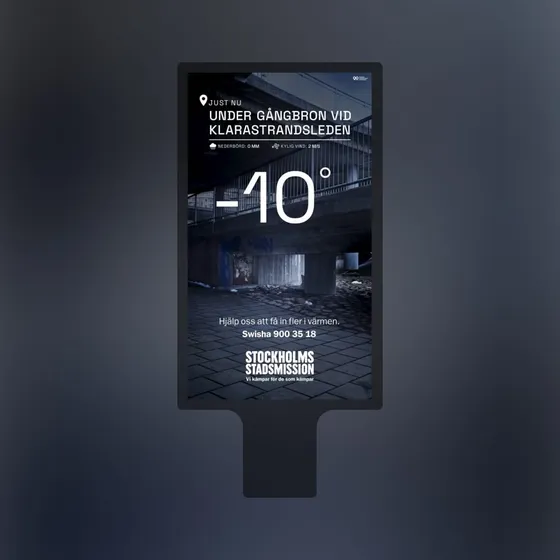
| Weather and place | Stockholms Stadsmission | A named place in the city, the precipitation, the wind and the temperature |
| Live offers and closing times | Yabie | A product, its reduced price and how long until the shop closes |
| Weather (online) | Discovery+ | Which of three headlines opens the ad: rain, cloud or sun |
A rule we hold to: the data has to be the message, not decoration. A temperature in the corner of a soft-drink ad is a gimmick. A temperature that explains why you should donate tonight is the ad.
Live examples
Prices that change by the hour
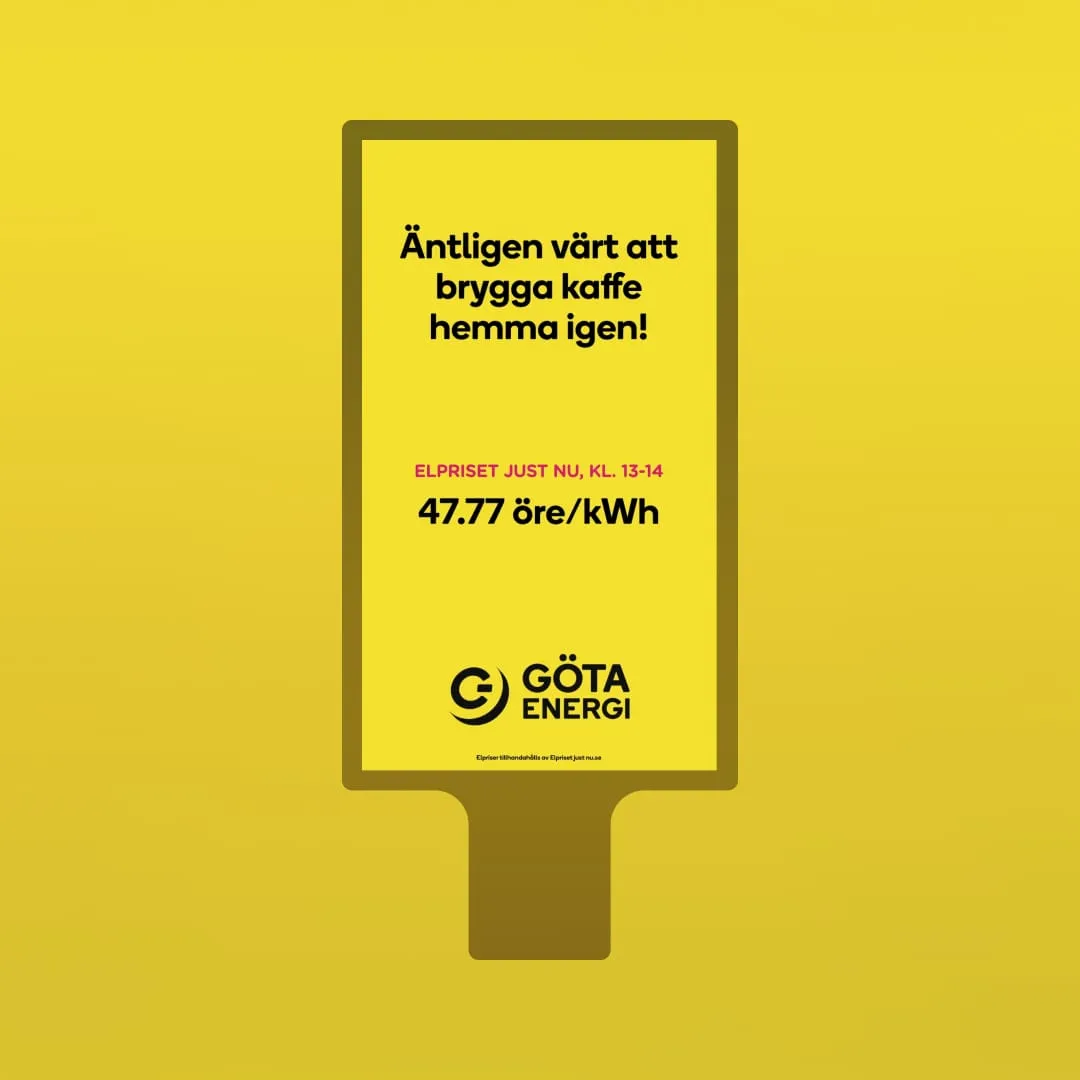
Göta Energi shows how simple a strong data idea can be: one line of copy, one label and one number, the price per kWh for the current hour. The headline only makes sense because the number is live.
Countdowns
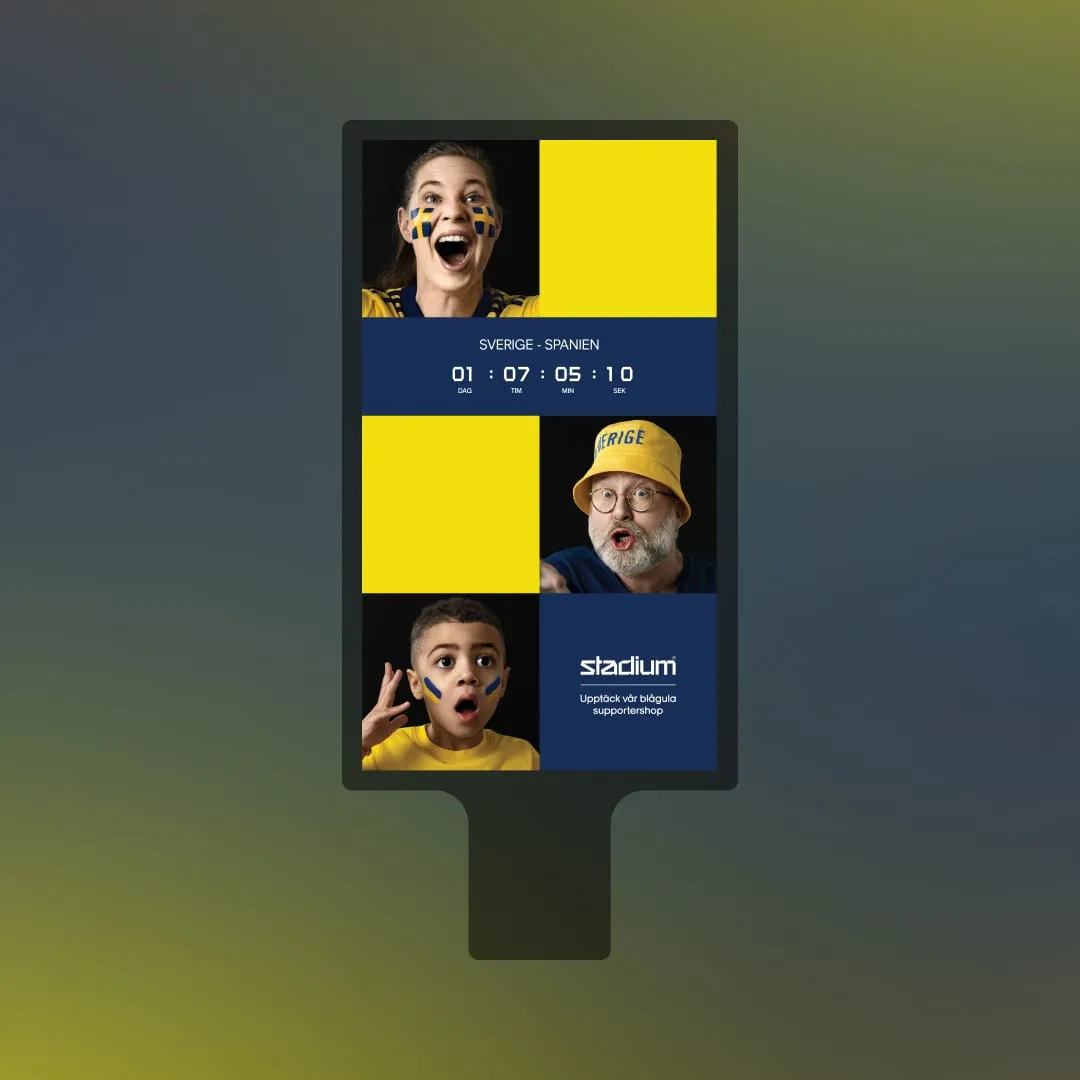
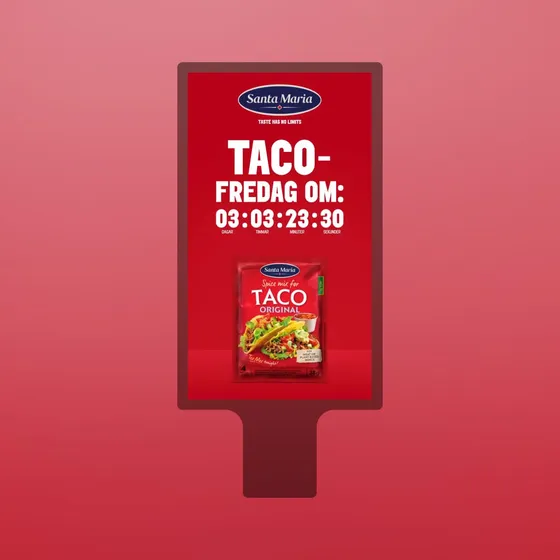
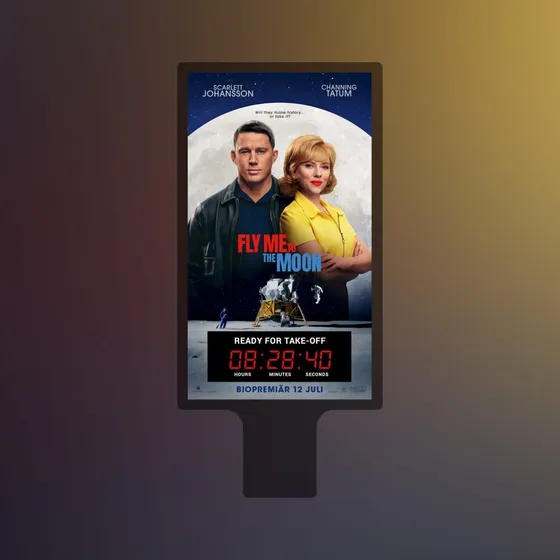
A countdown is the easiest data-driven ad to understand at a glance, which is why it works so well outdoors. Stadium counts down to a Sweden–Spain match. Santa Maria counts the time until taco Friday ("Taco-fredag om"). Fly Me To The Moon puts a red digital clock under "Ready for take-off" and the premiere date.
A countdown only works if the date matters to the people walking past and the number is big enough to read before they have passed. The seconds ticking are what catch the eye, so give them room.
Local data per screen
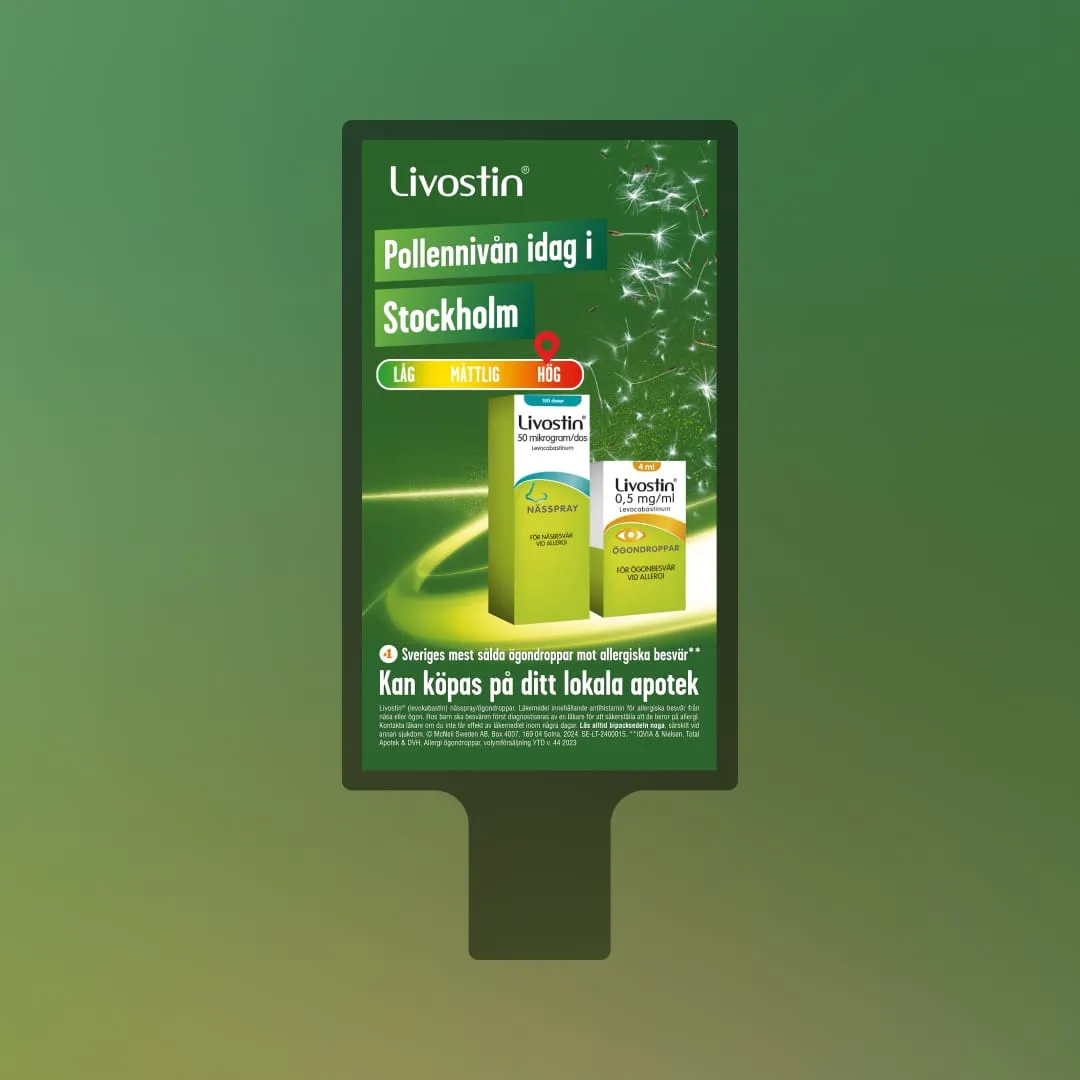
Livostin showed different messages on screens across Sweden based on the pollen levels in each city. In the demo, the screen opens with "Pollennivån idag i Stockholm", pins today's level on a scale from low to high, then hands over to the product and where to buy it. One template, many cities, each screen telling its own passers-by something true about their day.
Stockholms Stadsmission uses weather the opposite way from most brands. Its screen names a real place in Stockholm, "right now", with the precipitation and wind there, then fills the screen with the temperature: minus ten degrees. The ask follows: help us get more people into the warmth. The data makes the need concrete.
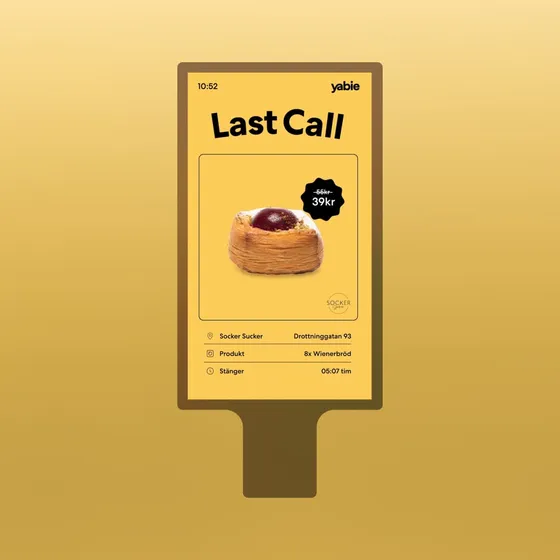
Yabie turns live offers into a public service. Under "Last Call", a pastry's price drops from 55 to 39 kronor, with the shop's name, the product and the time until it closes, all next to a line about food waste being bad for business.
The same idea online
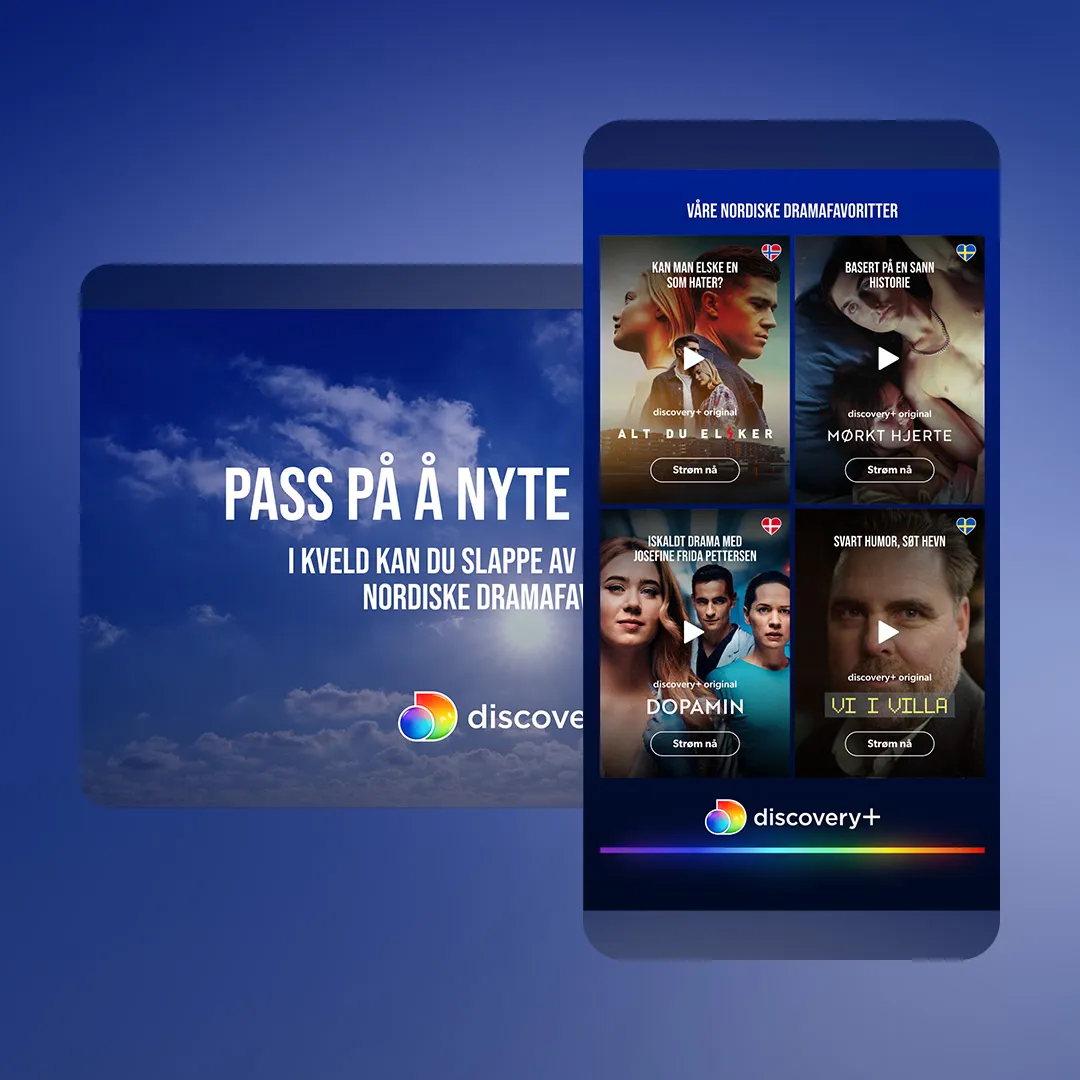
Data-driven creative is not only for outdoor. The Discovery+ ad is a double midscroll, a high-impact format that unfolds over two screens of scrolling on a news site. It opens with one of three headlines depending on the weather. Rain gets "Regn, regn, regn: perfect weather for one of our Nordic drama favourites". Cloud gets "While you wait for the sun". Sun gets "Enjoy the sun today", with the dramas saved for the evening. Below it, a grid of four series, one of which starts its trailer as the ad scrolls into view.
Same thinking as DOOH: one template, a handful of states, and the data picks one.
 Open live demo ↗
 Open live demo ↗
 Open live demo ↗
 Open live demo ↗
How the creative is built: a template that data fills
On the dynamic creative (DCO) side of Station, we describe it as building the ad once, as a template, and letting data decide what each version shows: the product, the price, the picture or the message. For DOOH that means:
- Design the fixed parts. Logo, layout, colours, the line of copy that never changes.
- Define the slots. The number, the city name, the headline variant, the product picture.
- Connect the data. A clock for countdowns and dayparts, a weather or pollen source, a price or product feed, the screen's location.
- Write the rules. Which headline goes with which weather, what happens when the countdown reaches zero, what shows when the price is missing.
- Preview every state. Then go live, and update the template or the data source when you need to, without re-trafficking files.
The work is in step 4. Design for every value the data can take, not only the one in the pitch deck. A price can have three digits or five. A city name can be "Lund" or "Stockholm". A countdown passes zero.
Craft for screens seen from a distance
Outdoor screens are read on the move, from a distance, often over someone's shoulder. Nobody stops to study them. The rules that follow from that are simple and easy to break.
- Few words. One message per screen. If the data is the point, the headline exists to explain the number.
- Big type. The live value should be the largest thing on screen. Göta Energi's price and Santa Maria's clock are good references.
- A few seconds of attention. Assume people see one frame, not the whole loop. Livostin's sequence works because each frame stands on its own.
- No sound. Outdoor screens play silent. Everything has to land visually.
- Respect the place. A screen in a station hall is part of someone's commute. An ad that tells them something useful, like the pollen level or the electricity price, earns its spot. It should attract instead of distract.
Production and QA
Data-driven DOOH adds work that a static poster does not have, and most of it is checking.
Many screen sizes. Networks mix portrait and landscape screens, different resolutions and different aspect ratios. The template has to hold up on each, with the live value still the largest thing on screen. Tools like MAiKE, our AI banner maker, can help get a design out in many sizes quickly, but the data slots still need checking at every size.
Preview every state. Look at each weather variant, the first and last minute of a countdown, the longest city name, the highest and lowest price. In Station you can preview and simulate data-driven ads and test them before they go live.
Fallbacks. Decide what the screen shows when the data does not arrive. Good fallbacks are a message that is true without the number, or a sensible default state. In the Discovery+ markup, for example, the sunny state is set from the start, so the ad always has a headline to show. A blank box, an "undefined" or a countdown at minus three days is the worst outcome.
Media owner checks. Outdoor vendors treat quality assurance as top priority, and so do we, with routines for testing before going live. The DOOH landscape is fragmented, so plan time for each network's requirements.
What about programmatic DOOH?
Programmatic DOOH means buying digital outdoor screens through automated platforms and deals instead of a fixed booking with the media owner. For the creative, the big difference is that you know less in advance about exactly which screens, places and times will play the ad.
That suits a template that data fills. If the ad works out its own message from the clock, the weather or the screen's location when it plays, it stays relevant wherever the buy lands. Madington's platform supports both direct bookings and programmatic purchases, so the same dynamic creative can run either way. See DOOH in Madington Station for how we work with media owners.
What is dynamic DOOH?
Dynamic DOOH is digital out-of-home advertising whose content changes with live data, such as the weather, the time, a countdown, prices or the screen's location. The ad is built once as a template and the data fills it when it plays.
What data can a DOOH ad use?
Anything that can be read when the ad plays: the clock and the date, weather and temperature, pollen levels or traffic, the screen's location, and the advertiser's own feeds with prices, stock and offers.
What are good examples of data-driven DOOH?
Countdowns to a match, a premiere or the weekend, an electricity price updated by the hour, pollen levels per city, and charity messages driven by the temperature outside. All of these are live demos in this guide.
Can dynamic DOOH be bought programmatically?
Yes. Madington's platform supports both direct bookings and programmatic purchases, and a template that reads its own data suits programmatic buying well.
What happens if the data feed fails?
A well-built ad has a fallback: a default state or a message that stays true without the live value. Decide on it during production and preview it like any other state.
Does data-driven creative work outside DOOH?
Yes. The same template approach runs in display and high-impact formats online, like the weather-based Discovery+ double midscroll.